QIAGEN · Health
QIAGEN: Four Critical Fixes Accepted for the QIAsymphony Connect Launch
Ran usability studies, logged and rated the findings, and did the usability engineering file for NeuMoDx, QIAGEN's sample-to-result system.
- Role
- Usability Engineer
- Scope
- QIAsymphony Connect and NeuMoDx usability engineering
- Focus
- Health
- Designer
 Gideon Awolesi
My contribution · QIAGEN
QIAsymphony Connect and NeuMoDx usability engineering
QIAGEN accepted four critical fixes from the pre-summative study for the controlled launch of QIAsymphony Connect.
- 2,500+
- QIAsymphony systems placed
- 300+
- NeuMoDx systems placed
- 4
- critical fixes accepted for launch
What I owned
- 01Co-ran the pre-summative study of the QIAsymphony Connect run setup with six internal users and six hazard-related tasks.
- 02Logged and rated each finding, wrote the management summary, and raised the tickets for the fixes.
- 03Did the entire usability engineering file for NeuMoDx after product training in Düsseldorf.
Clickable prototypes
Open the QIAsymphony Connect prototype
Load samples, check the tube types, define batches from a worklist, and review the run report on the instrument touchscreen.
Overview
About the project
Project overview
QIAGEN makes instruments and kits for molecular testing. QIAsymphony is its automated sample preparation instrument, and it has more than 2,500 systems placed in labs. QIAsymphony Connect is the next generation of the instrument, with new touchscreen software for setting up a run.
I worked with QIAGEN as an external usability engineer. On QIAsymphony Connect, I co-ran the pre-summative usability study and reviewed the mitigation designs with QIAGEN's UX designers. I also did the entire usability engineering file for NeuMoDx, QIAGEN's sample-to-result molecular system, which had more than 300 systems placed and a 2022 sales target of about $80 million.
QIAGEN's UX designers drew the QIAsymphony Connect screens. My part was the usability engineering, which meant running the tests and checking the design changes against the findings and the risk file. Each project has its own tab below.
About the prototype
In 2026, I rebuilt the QIAsymphony Connect run setup as a clickable coded prototype, from the meeting notes of the study and the design reviews. It covers loading the samples, defining the batches, assigning the eluate plate, and scanning the inventory, and it follows the fixes the team discussed in 2025.
The prototype uses a generic look and sample data. It isn't QIAGEN's software, and its screens don't copy QIAGEN's interface.
How lab technicians set up a run
Interactive prototype: Open the prototype. Try this: Open the Wizard tile, load samples on a carrier, confirm the tube types, and define batches. Then open the run report.
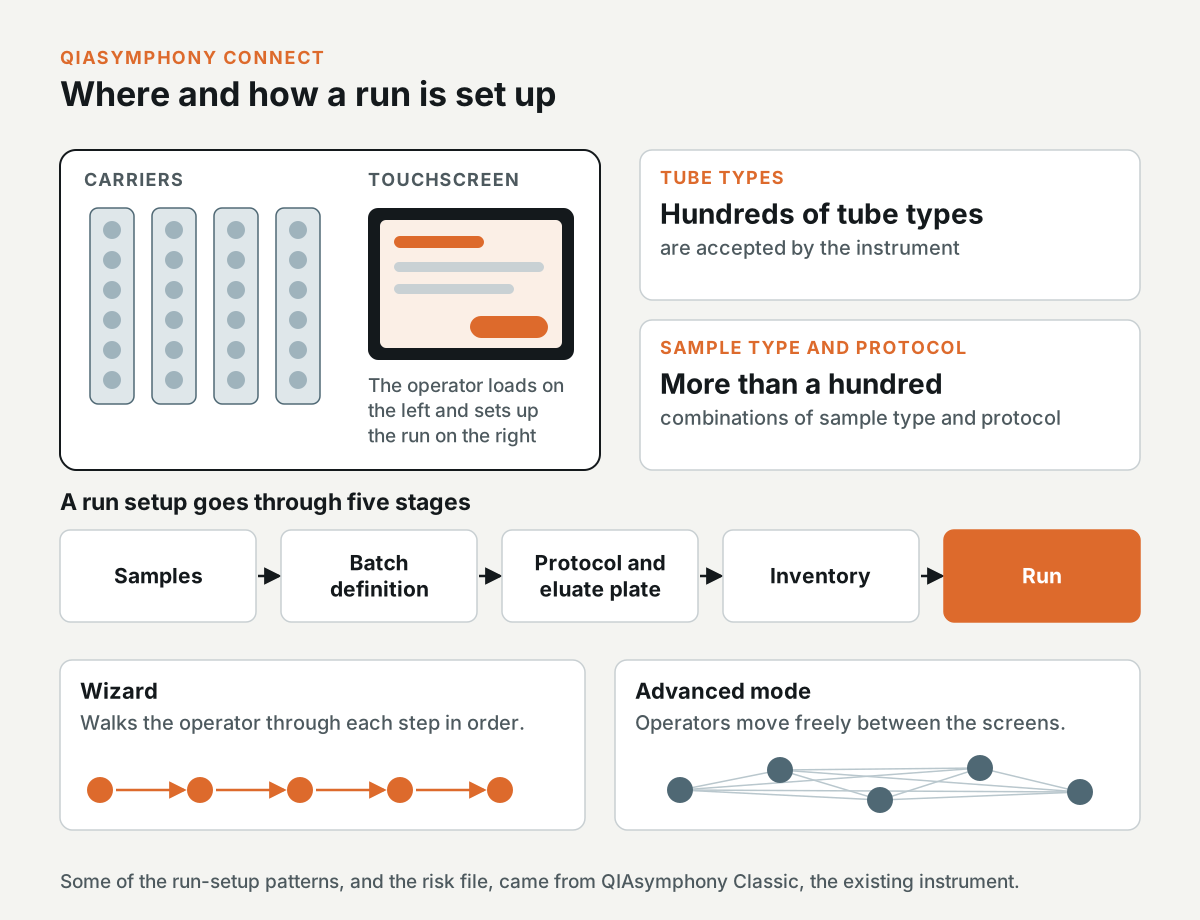
Lab technicians in clinical and high-throughput molecular labs set up each run on a large touchscreen. The touchscreen is on the right side of the instrument, and they load the sample carriers on the left. The instrument accepts hundreds of tube types and more than a hundred combinations of sample type and protocol.
A run setup goes from the samples to batch definition, then to assigning the protocol and the eluate plate, then to the inventory, and then to the run itself. The software has two modes for this. The Wizard walks the operator through each step, and in Advanced mode, operators move freely between the screens. Some of the run-setup patterns came from QIAsymphony Classic, the existing instrument, and so did the risk file.
What the pre-summative study had to show
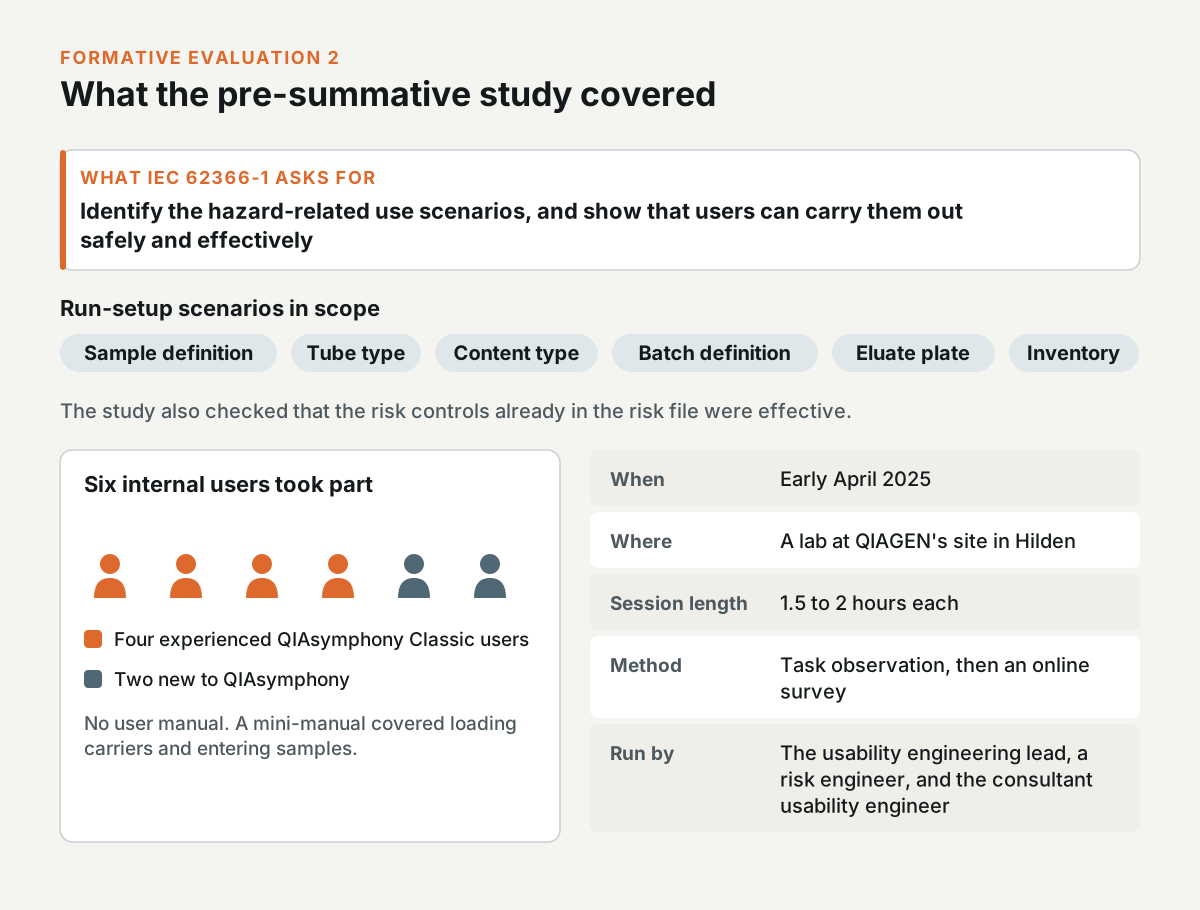
Under IEC 62366-1, a manufacturer has to identify the hazard-related use scenarios for a device and show that users can carry them out safely and effectively. For run setup, the scenarios covered sample definition, tube type, content type, batch definition, the eluate plate, and the inventory. The study also had to check that the risk controls already in the risk file were effective.
In early April 2025, I co-ran Formative Evaluation 2, the pre-summative study, with QIAGEN's usability engineering lead and a risk engineer. It took place in a lab at QIAGEN's site in Hilden. Six internal users took part. Four of them were experienced QIAsymphony Classic users, and two were new to QIAsymphony. Each session took 1.5 to 2 hours, with task observation and an online survey afterwards.
Participants didn't get the user manual. Instead, I gave them a mini-manual on how to load the carriers and enter the samples.
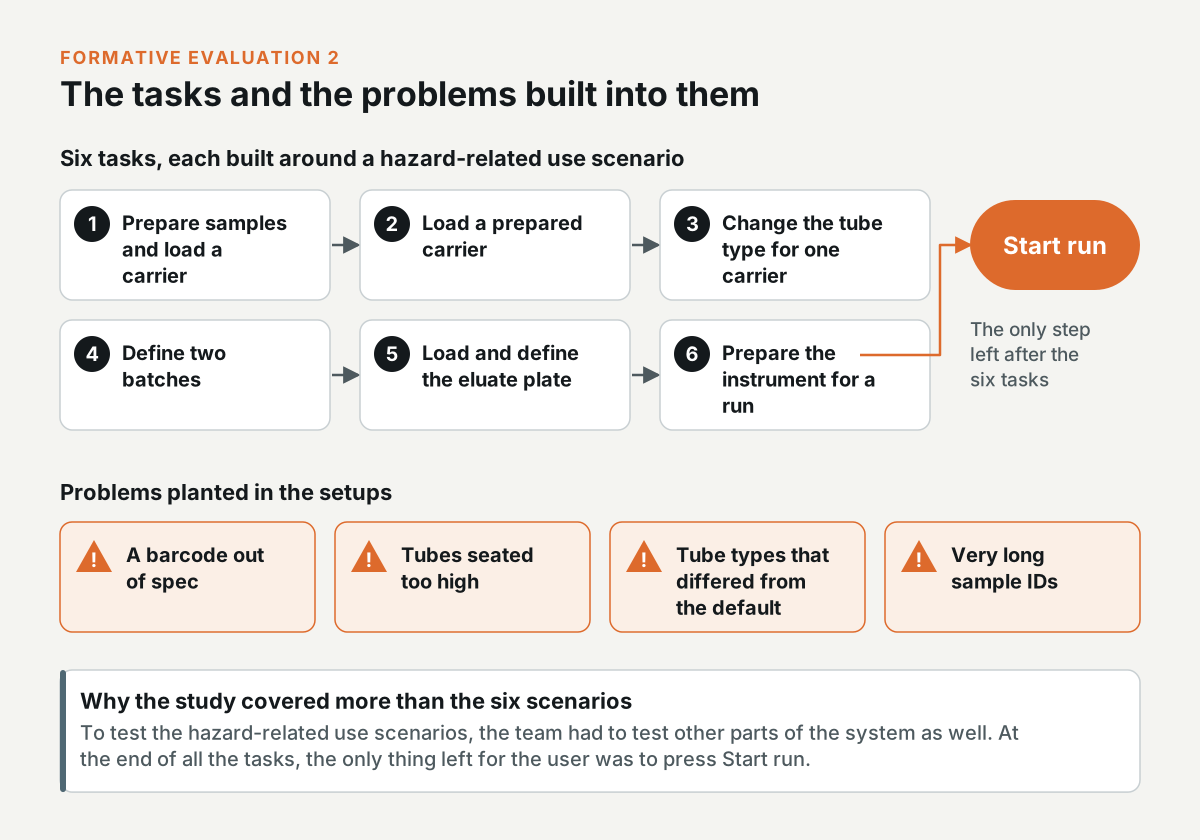
There were six tasks, each one built around a hazard-related use scenario: prepare samples and load a carrier, load a prepared carrier, change the tube type for one carrier, define two batches, load and define the eluate plate, and prepare the instrument for a run. The setups had problems planted in them, like a barcode out of spec, tubes seated too high, tube types that differed from the default, and very long sample IDs.
In the Tech Forum, I explained why the study covered more than the six scenarios. To test the hazard-related use scenarios, the team had to test other parts of the system as well, because at the end of all the tasks, the only thing left for the user to do was press the start run button.
What the participants did
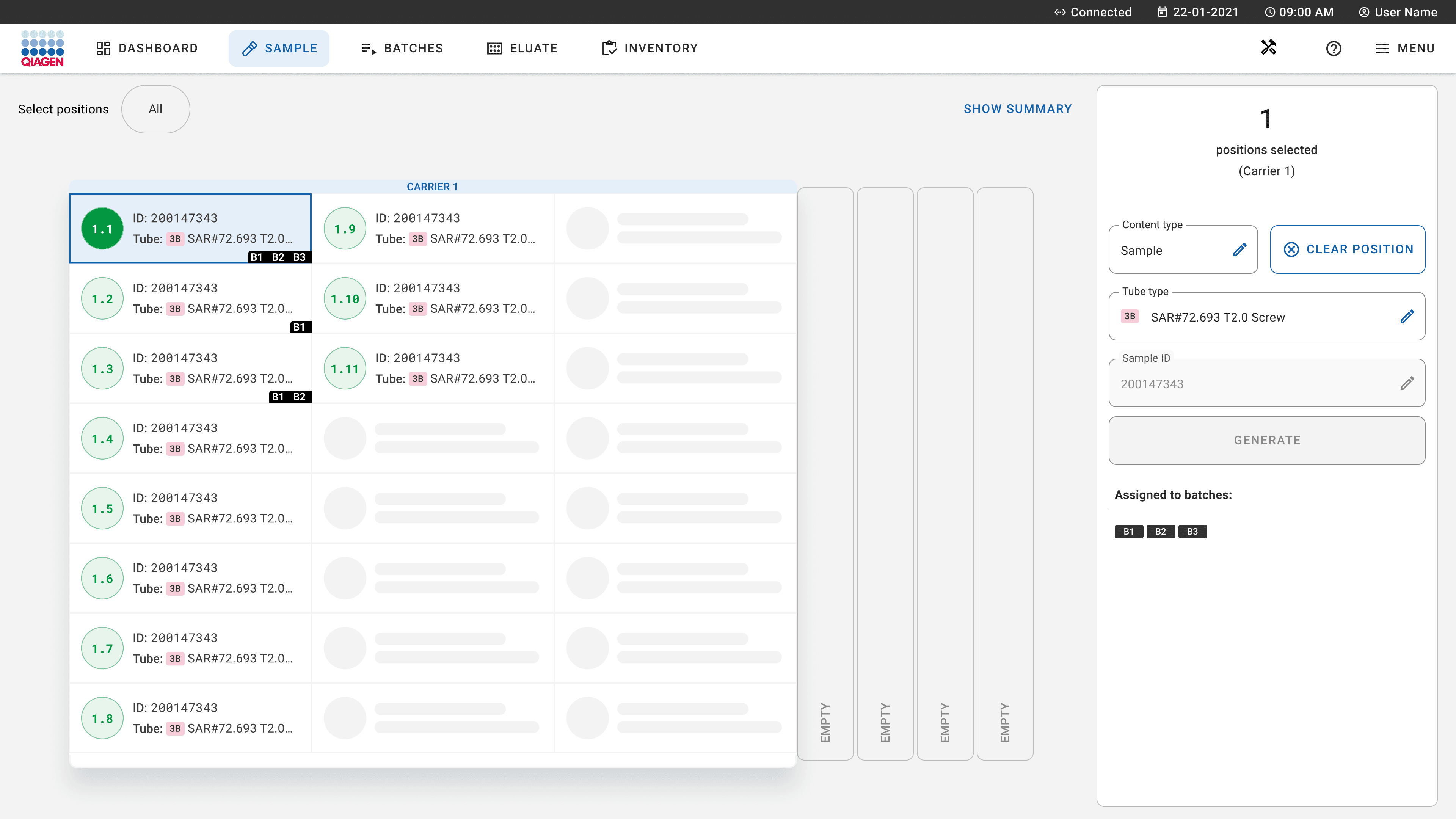
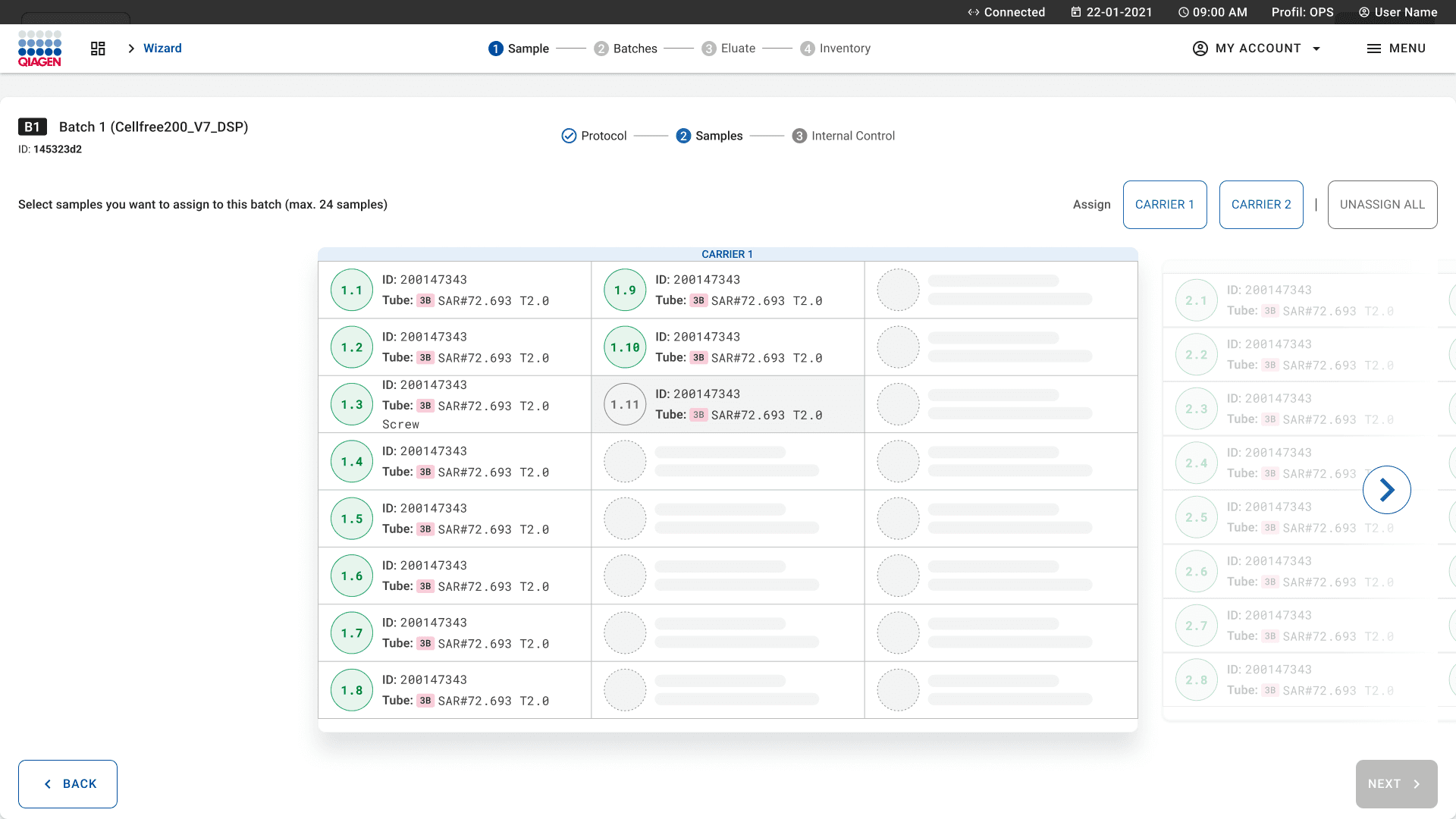
On the Sample screen, every sample tile showed green, including the samples in a tube type that differed from the default. Participants read green as correct and ran with the wrong tube type. The risk analysis named "user confirms tube types in software" as the risk control, and that confirmation step wasn't in the software yet.
The All button selected the samples on every carrier, not only on the carrier shown on the screen. When participants changed the tube type for one carrier, several of them changed it on all the carriers without noticing.
In batch definition, pressing a carrier button reset the previous selection, so participants couldn't put two carriers into one batch. One participant picked the samples one by one instead. The Edit batch button was visible but disabled, and the only workaround was to delete the batch and define it again.
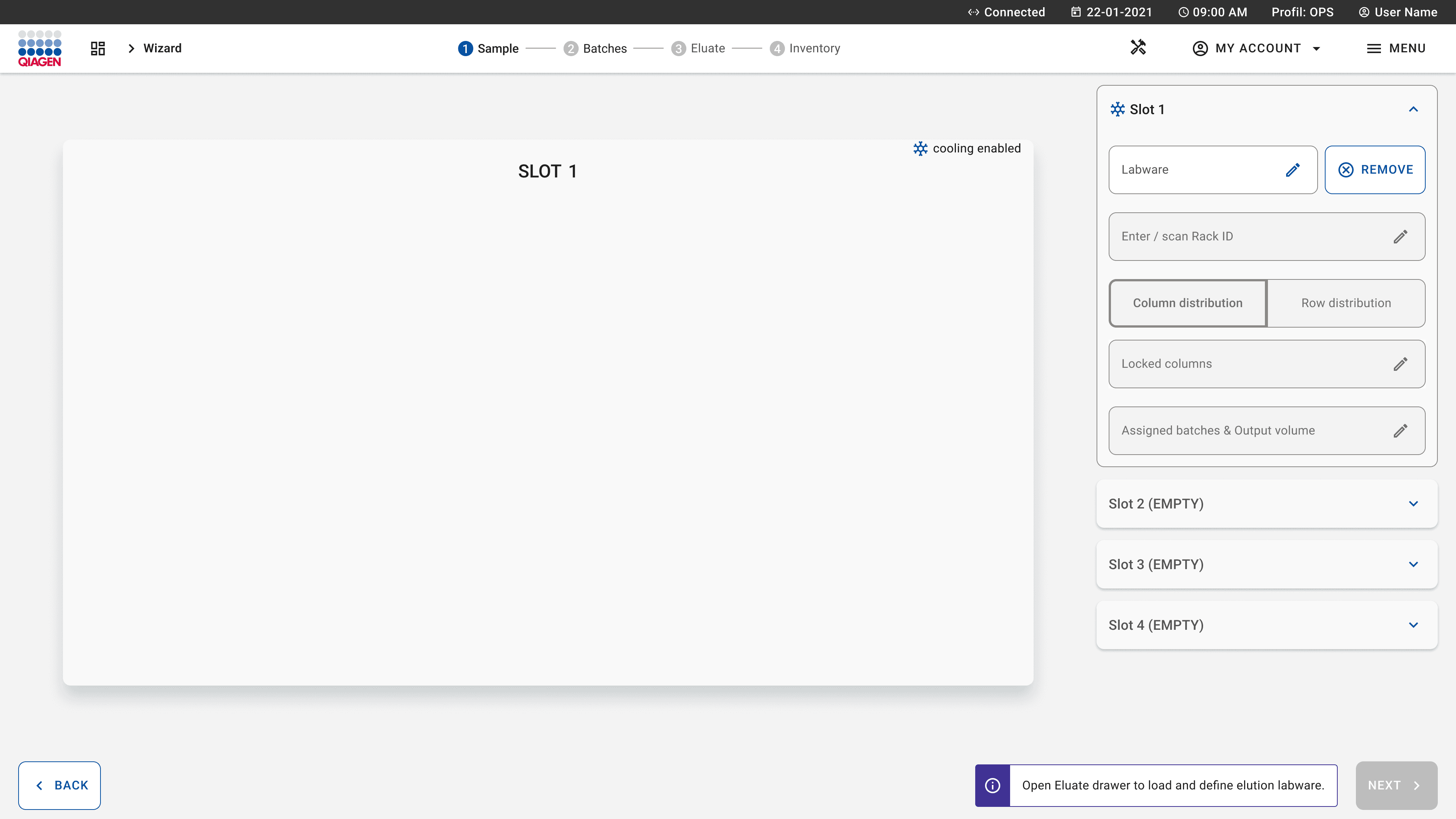
After participants assigned the batches, the software showed a message to open the eluate drawer and define the eluate rack, even though they had just done it. Several of them opened the drawer again.
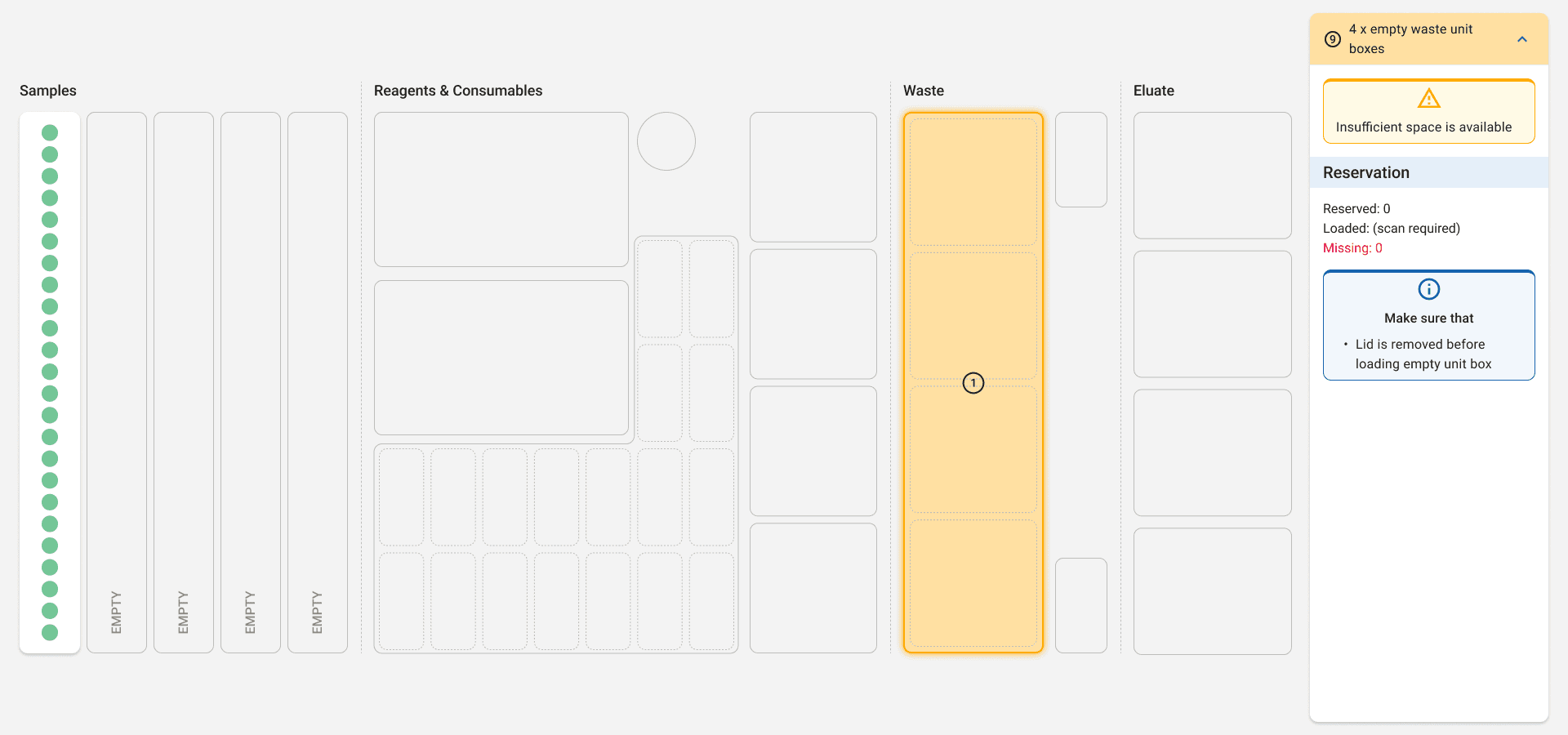
When they prepared the instrument for the run, some participants didn't load the internal control. The message about it had low contrast, and the to-do list that included it was collapsed. One participant forgot the waste bag and only noticed when the tips fell.
On the positive side, participants found the guidance for loading the carriers clear, and they got faster after their first use.
I logged the issues in the usability issue list, one row for each issue and each participant, with the usability criteria it violated. In the management summary, I reported that the study confirmed the known issues and didn't find new risk-related usability issues, but the failure rate on the tasks was high.
Which fixes went into the controlled launch
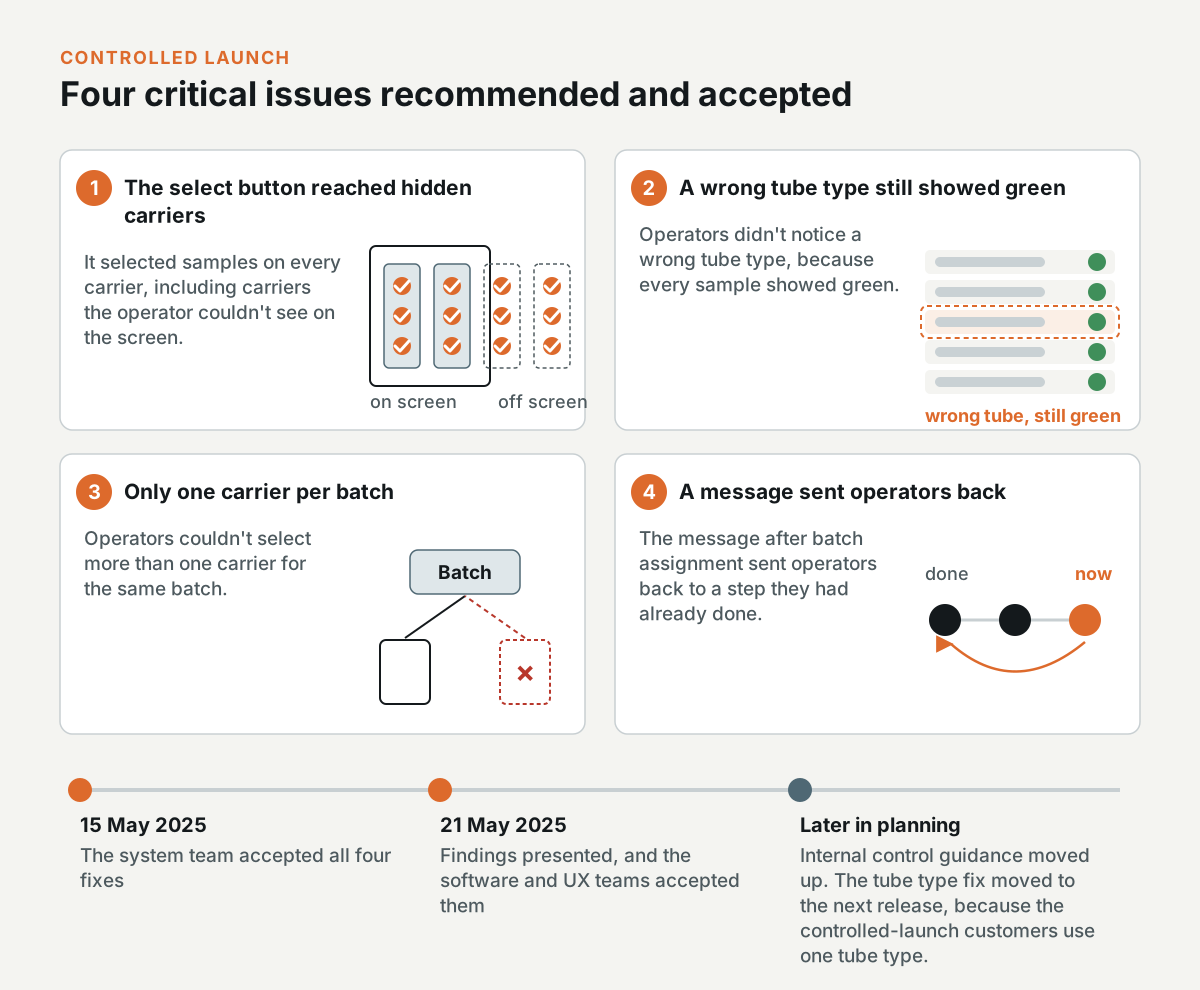
With the usability engineering lead, I recommended four critical issues for the controlled-launch version of the software. On 15 May 2025, the system team accepted all four.
- The All selection: The button selected samples on every carrier, including the carriers the operator couldn't see on the screen.
- Wrong tube type: Operators didn't notice a wrong tube type, because every sample showed green.
- Batch definition: Operators couldn't select more than one carrier for the same batch.
- Eluate message: The message after batch assignment sent operators back to a step they had already done.
On 21 May 2025, the usability engineering team presented the findings to the software and UX teams, and the teams accepted the issues and the recommendations. Later in the planning, the internal control guidance moved up the list, and the tube type fix moved to the following release, because the customers in the controlled launch use one tube type.
How the mitigations were designed
QIAGEN's UX designers drew the mitigation screens, and I reviewed them against the findings and commented in Figma. In May 2025, the team agreed on the selection redesign. The All button would be removed. Each carrier button would toggle its selection and show an icon when selected, and the screen would only show buttons for the carriers that were loaded, with a count of the selected samples on each carrier. The design would reuse the selection pattern from the Sample screen instead of adding checkboxes to the columns, and the Edit batch button would be hidden for now. The plan was to check the change with a small usability test on screenshots.
In June 2025, the team agreed that changing the content type wouldn't open a dialog that changes the whole carrier. When an operator selects some samples, only the content types that are valid for those samples would be enabled, and the other options would be disabled. The team also agreed not to show the eluate message after batch assignment.
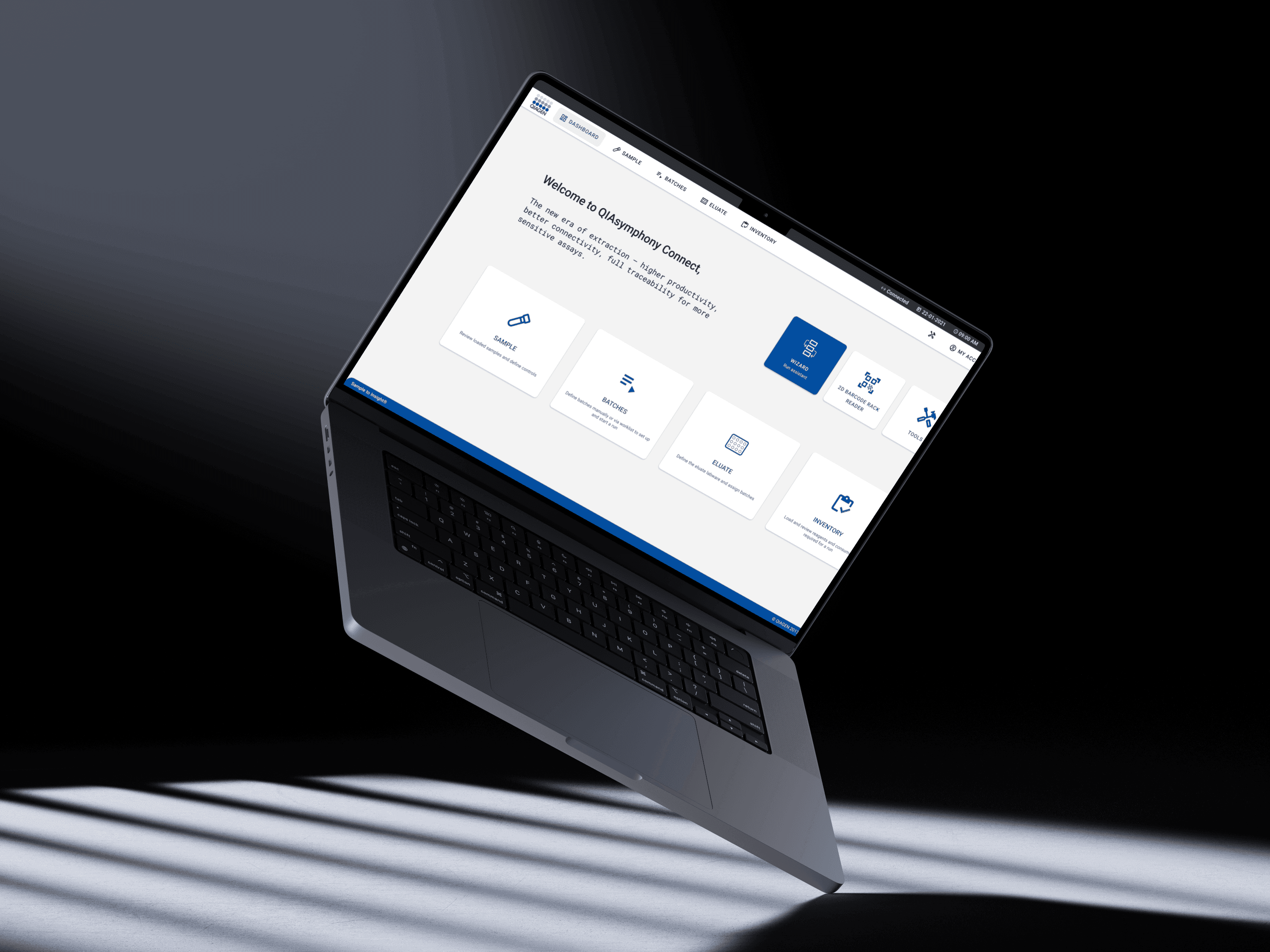
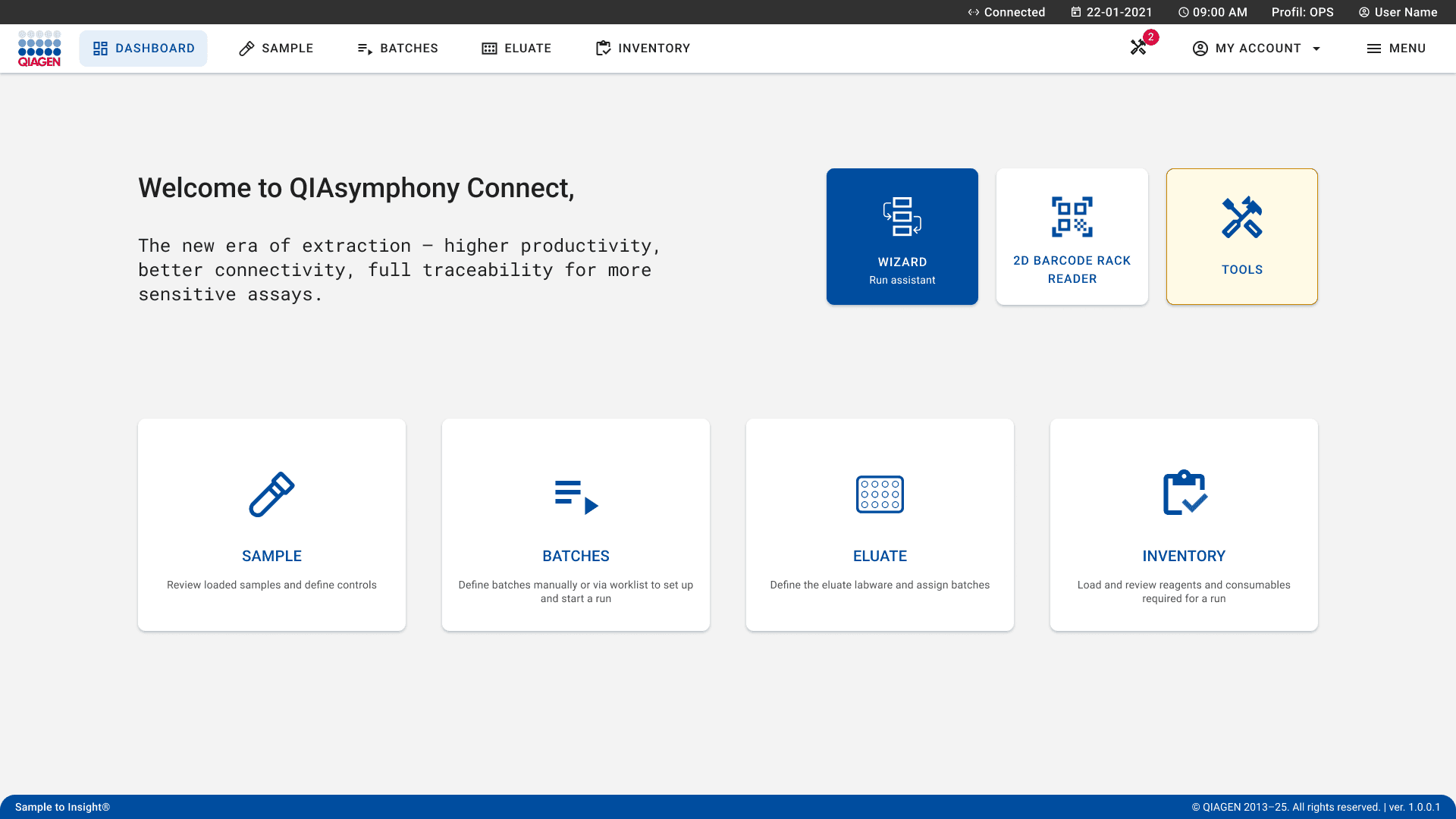
In July 2025, I argued for keeping the Wizard tile highlighted in blue on the dashboard, because colour inversion marks the next suggested action in this interface. In the review, I put it this way: "When you're designing a system, there has to be a point at which the user is expected to start." I also argued for keeping the word "run" in the labels, because "this whole process of processing samples is called a run." The text on the Batches tile would also be updated, with a line about starting a run from there.
What happened after the study
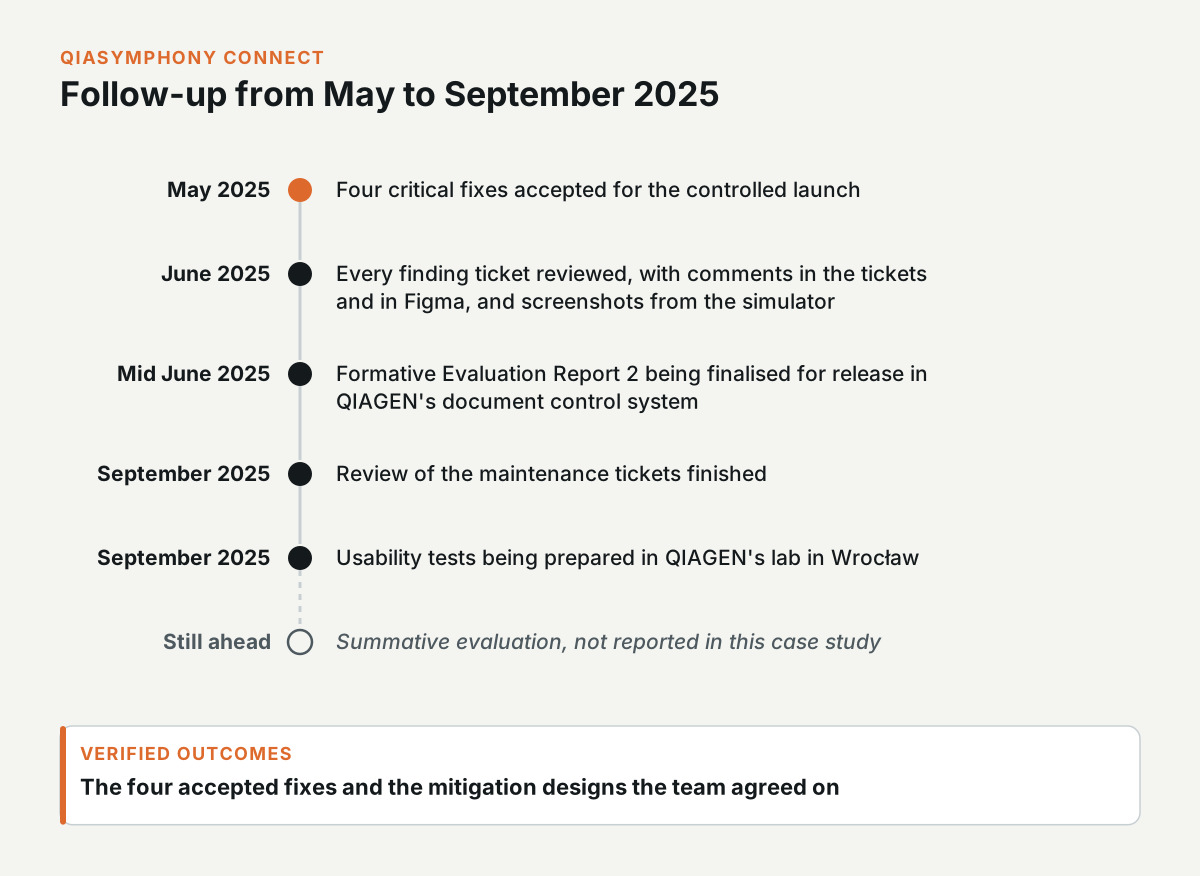
In June 2025, I reviewed all the tickets for the findings, commented in the tickets and in Figma, and added screenshots from the simulator. Formative Evaluation Report 2 was being finalised for release in QIAGEN's document control system in mid June 2025.
In September 2025, I finished reviewing the maintenance tickets, and I was preparing usability tests in QIAGEN's lab in Wrocław.
The verified outcomes of this work are the four accepted fixes and the mitigation designs the team agreed on. The summative evaluation was still ahead when this work ended, so this case study doesn't report on it.
How worklists become batches
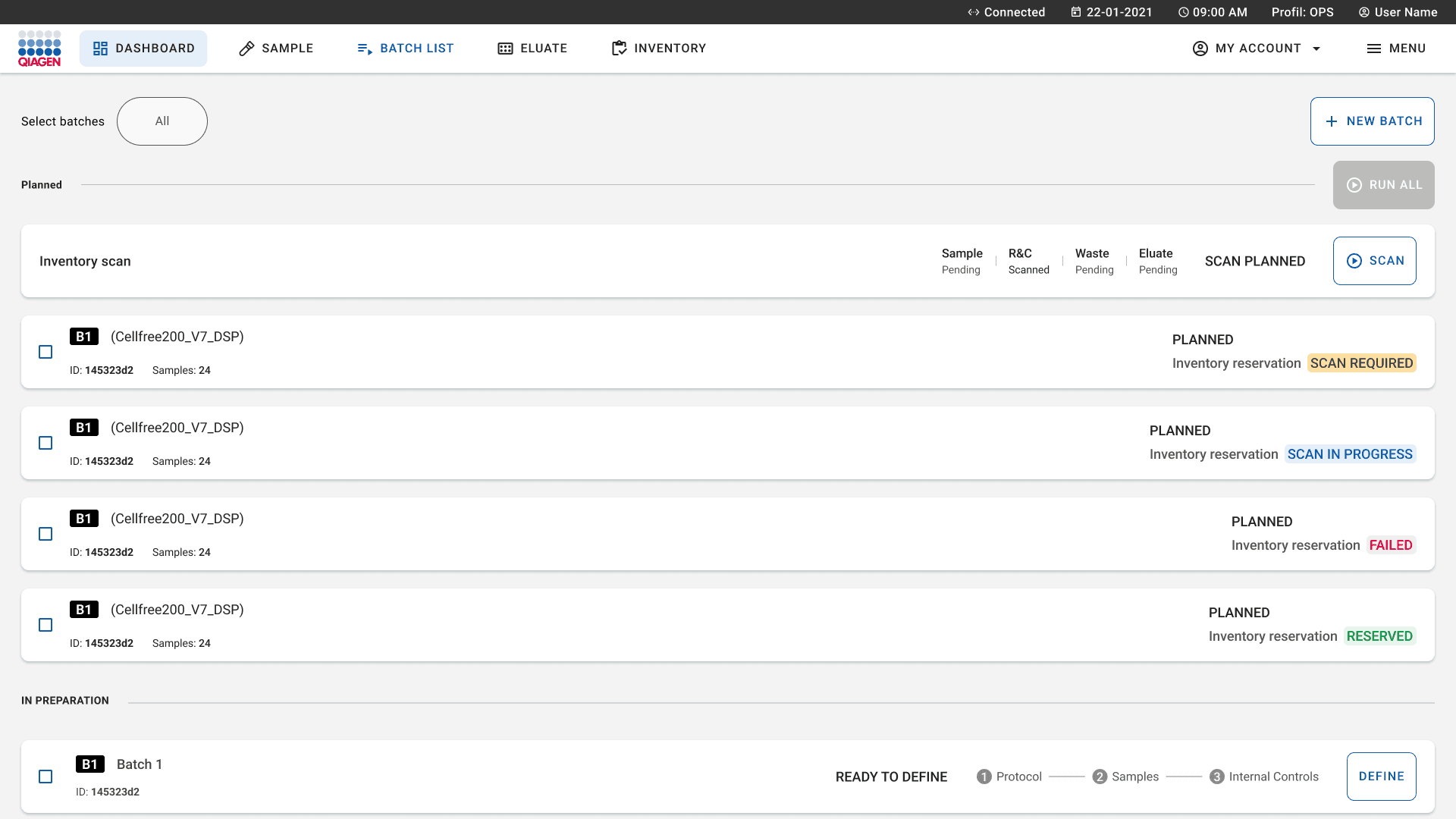
Labs send worklists to the instrument from their LIMS, and the software creates batches from the worklist entries that match the loaded samples, each with its protocol and requirements. If one batch has an error, the software doesn't create any of them, except for errors in the sample tube type or the eluate rack ID. The worklist and batch creation flows are part of the QIAsymphony Connect prototype in the first tab.
In April 2025, QIAGEN's UX design lead walked me through the worklist logic for an hour, and I commented on the Figma mockups afterwards. From the end of April, I also reviewed the scope of the next releases, checking the designs, use cases, and edge cases.
What I raised in the worklist review
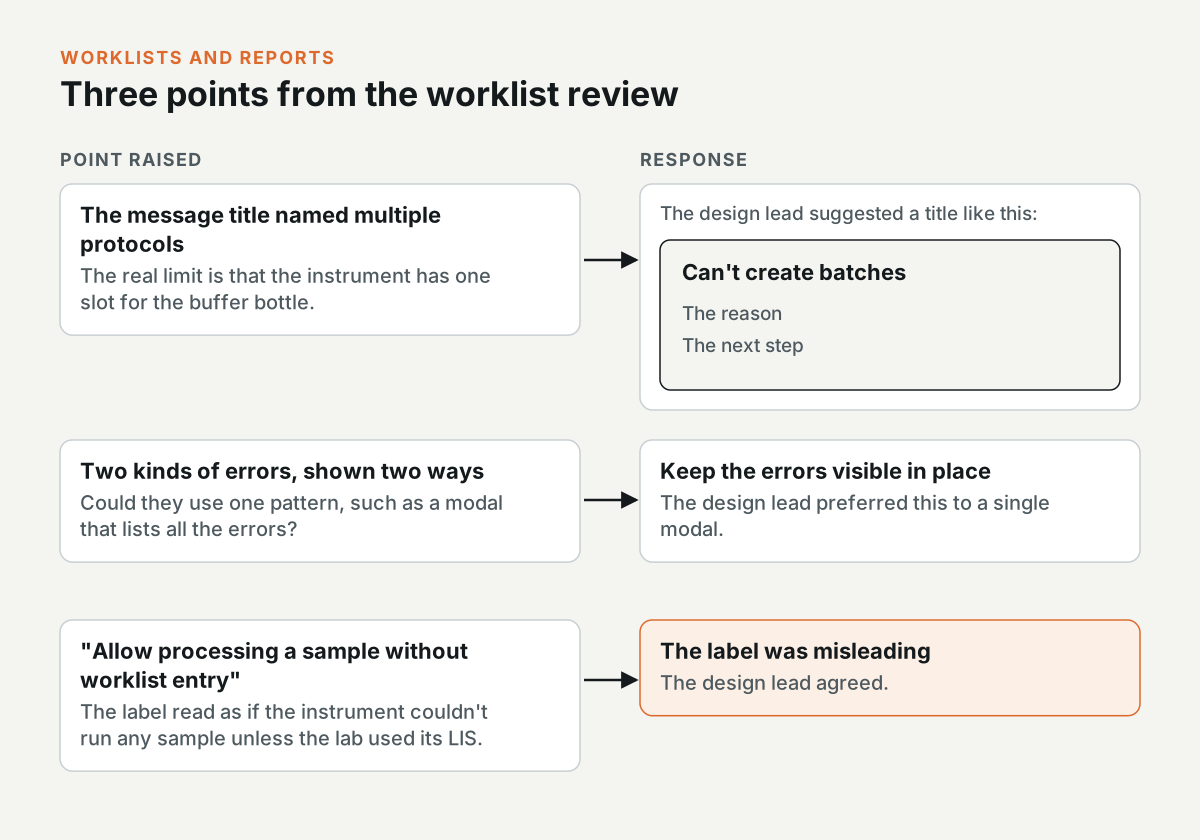
- Buffer bottle conflict: The title of the message was about multiple protocols, but the real limit is that the instrument has one slot for the buffer bottle. I pointed this out, and the design lead suggested a title like "Can't create batches", with the reason and the next step underneath.
- Error display: Two kinds of errors were shown in two different ways, and I asked if they should use one pattern, such as a modal that lists all the errors. The design lead preferred to keep the errors visible in place.
- Processing without a worklist: The setting "allow processing a sample without worklist entry" read to me as if the instrument couldn't run any sample unless the lab used its LIS. The design lead agreed that the label was misleading.
Tube types outside the recommendation
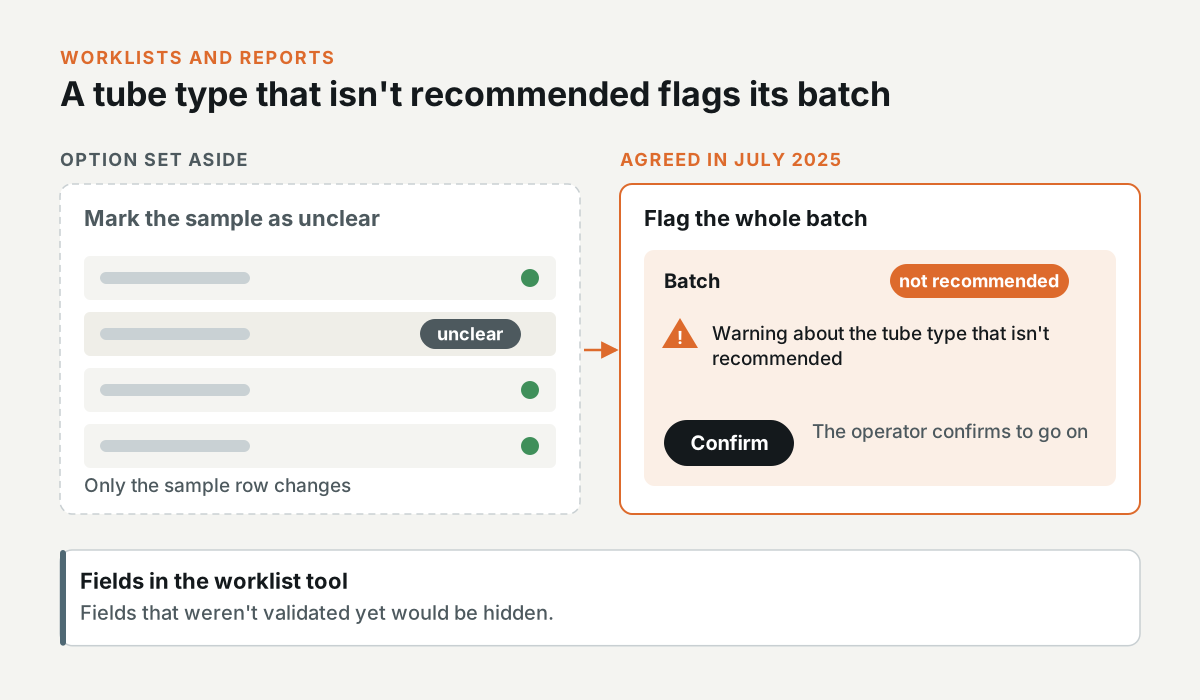
In July 2025, the team agreed that a sample in a tube type that isn't recommended would flag its batch as "not recommended", with a warning and a confirm button, instead of marking the sample as unclear. Fields in the worklist tool that weren't validated yet would be hidden.
The run report
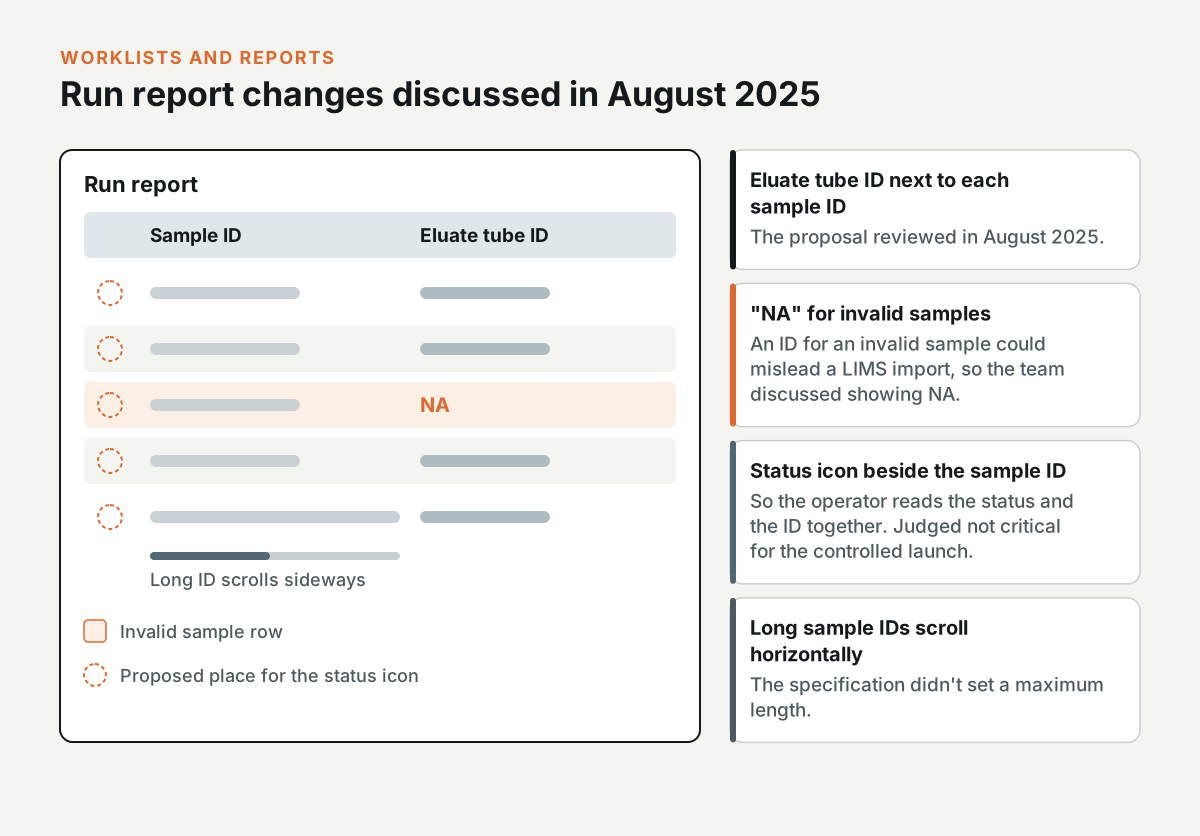
In August 2025, I reviewed the run report with the team. The proposal was to show the eluate tube ID next to each sample ID. An ID for an invalid sample could mislead a LIMS import, so the team discussed showing "NA" for those samples instead.
Moving the status icons next to the sample IDs, so the operator reads the status and the ID together, was judged not critical for the controlled launch. Long sample IDs scroll horizontally in the report, and the specification didn't set a maximum length.
What NeuMoDx is and the work I did on it
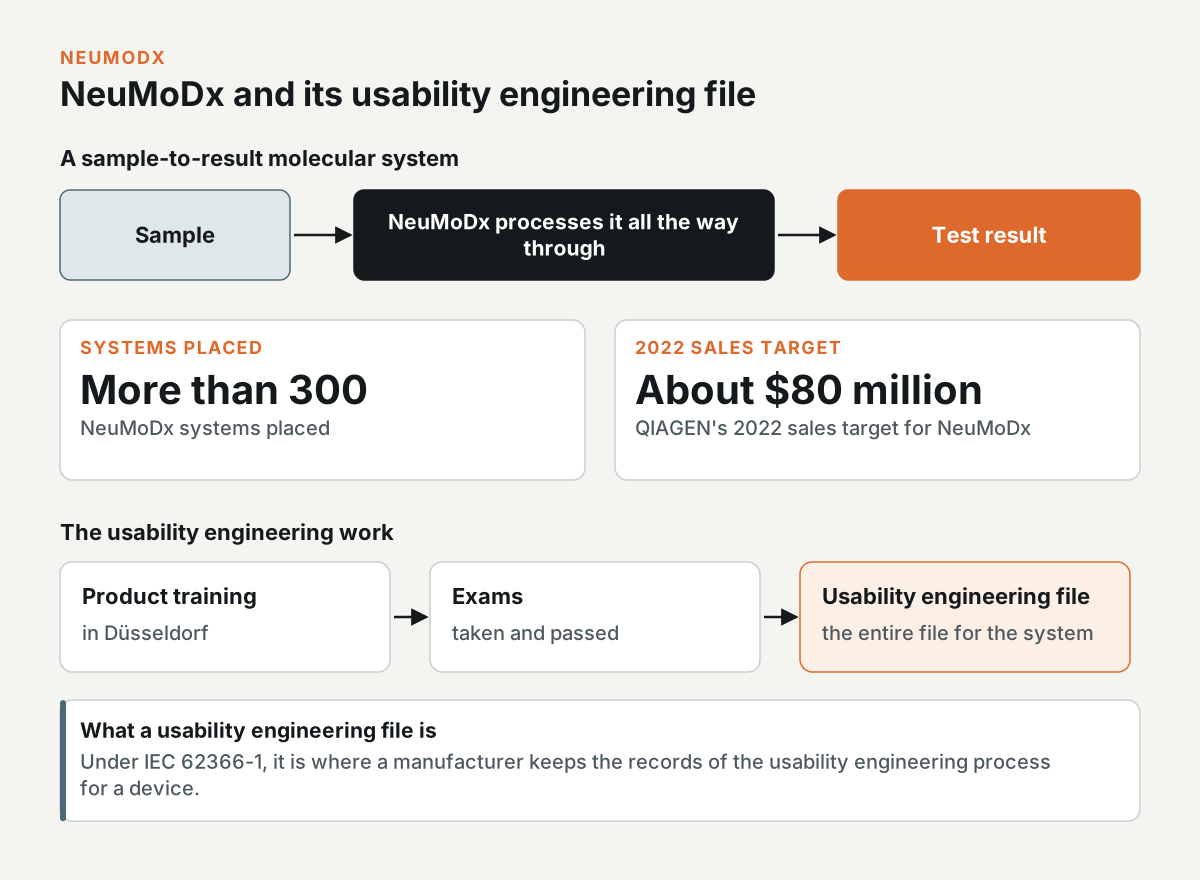
NeuMoDx is QIAGEN's sample-to-result molecular system, which takes a sample all the way through to a test result. More than 300 systems were placed, and QIAGEN's 2022 sales target for it was about $80 million.
I travelled to Düsseldorf for product training on NeuMoDx, took the exams, and passed them. I did the entire usability engineering file for the system. Under IEC 62366-1, the usability engineering file is where a manufacturer keeps the records of the usability engineering process for a device.
How the findings were recorded
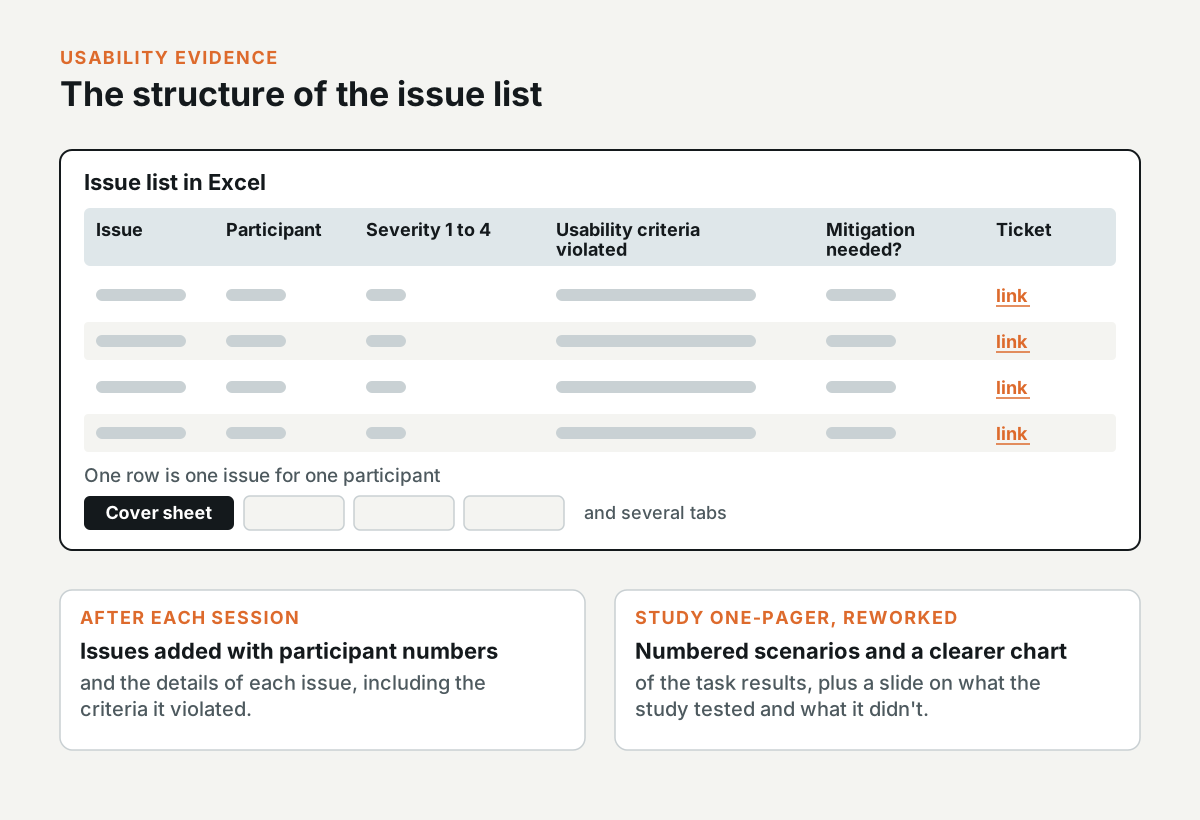
The usability findings were kept in an issue list in Excel, with a cover sheet and several tabs. Each row was one issue for one participant, with its severity from 1 to 4, the usability criteria it violated, if it needed a mitigation, and a link to its ticket.
After each session, I added the issues with the participant numbers and the details of each issue, including the criteria it violated. I reworked the one-pager for the study, with numbered scenarios and a clearer chart of the task results, and made the slide that set out what the study tested and what it didn't.
What happened to each finding after the study
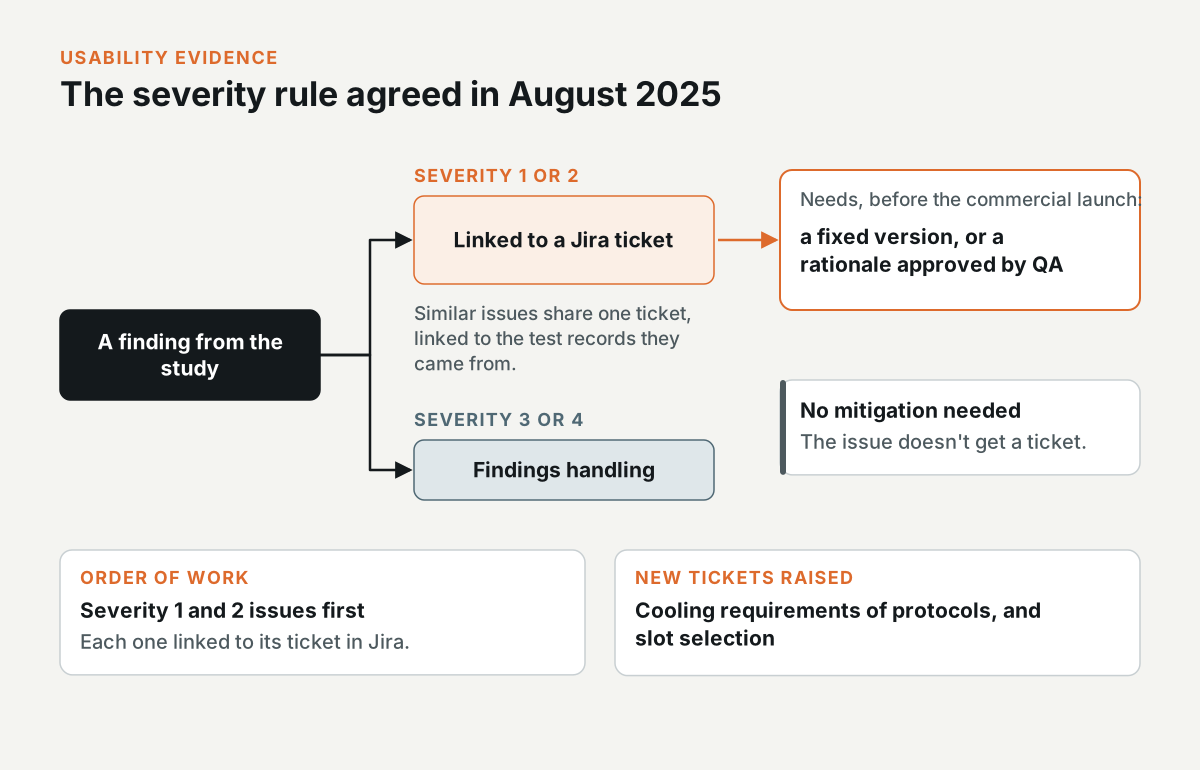
I started with the severity 1 and 2 issues and linked each one to its ticket in Jira. Similar issues went into one ticket, linked to the test records they came from. I also raised a new ticket on the cooling requirements of protocols and on slot selection.
In August 2025, the team agreed on a rule for severity. A severity 1 or 2 issue needs a fixed version before the commercial launch, or a rationale approved by QA. Severity 3 and 4 issues go to findings handling, and an issue that doesn't need a mitigation doesn't get a ticket.
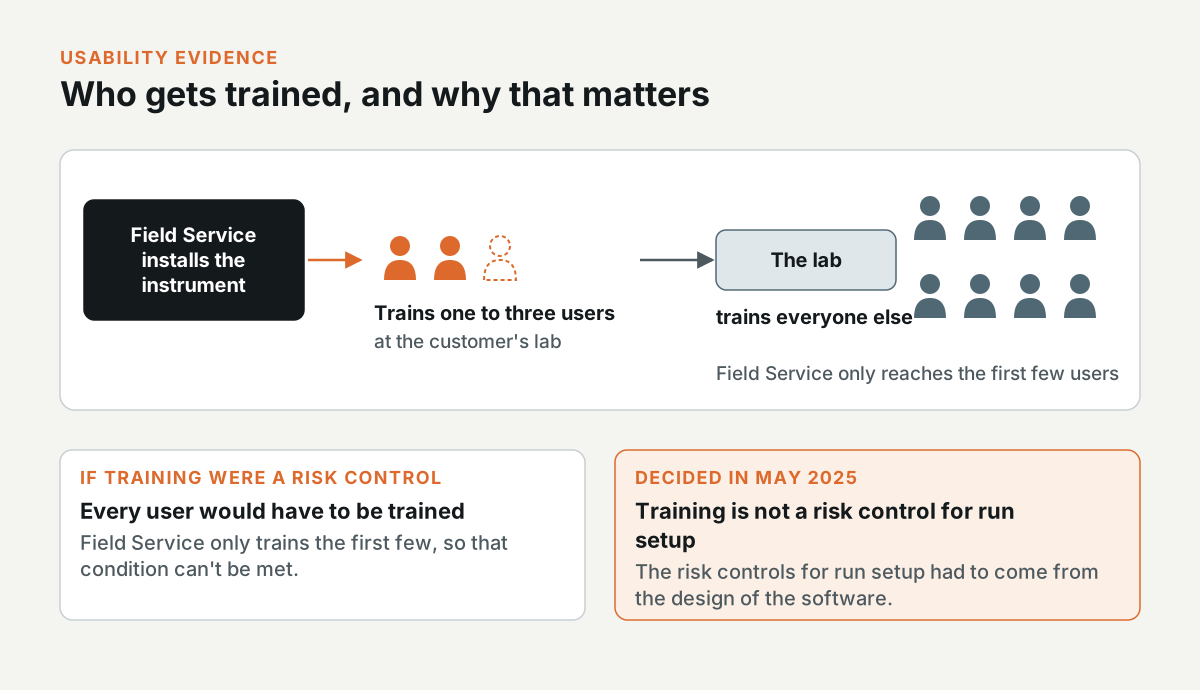
Why training didn't count as a risk control
Field Service installs each instrument and trains one to three users at the customer's lab, and the lab trains everyone else. In May 2025, the team decided that training isn't a risk control for run setup. If training were a risk control, every user would have to be trained, and Field Service only trains the first few. This meant the risk controls for run setup had to come from the design of the software.
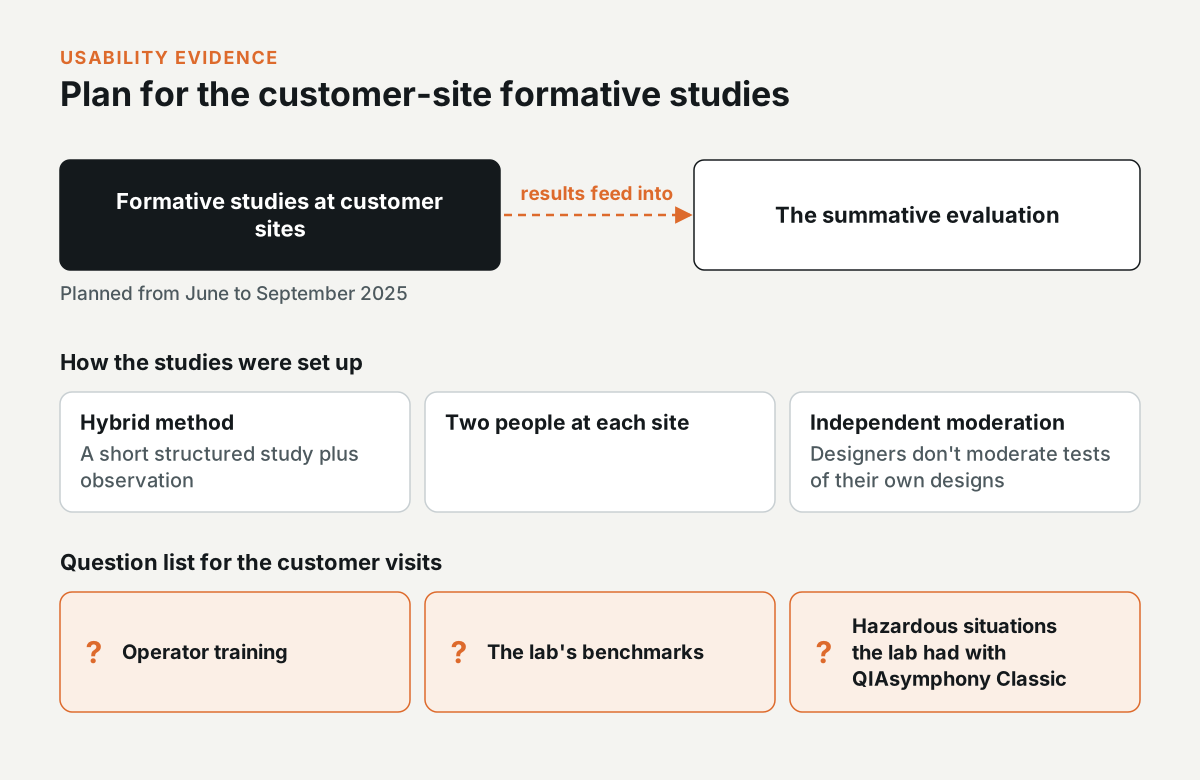
How the customer-site study was planned
From June to September 2025, the team planned formative studies at customer sites. They were formative, not summative, but their results would feed into the summative evaluation. The method was hybrid, a short structured study plus observation, with two people at each site. The team also agreed that designers wouldn't moderate tests of their own designs.
I wrote the question list for the customer visits, with questions on operator training and the lab's benchmarks, and on any hazardous situations the lab had with QIAsymphony Classic.
What the team changed in the process
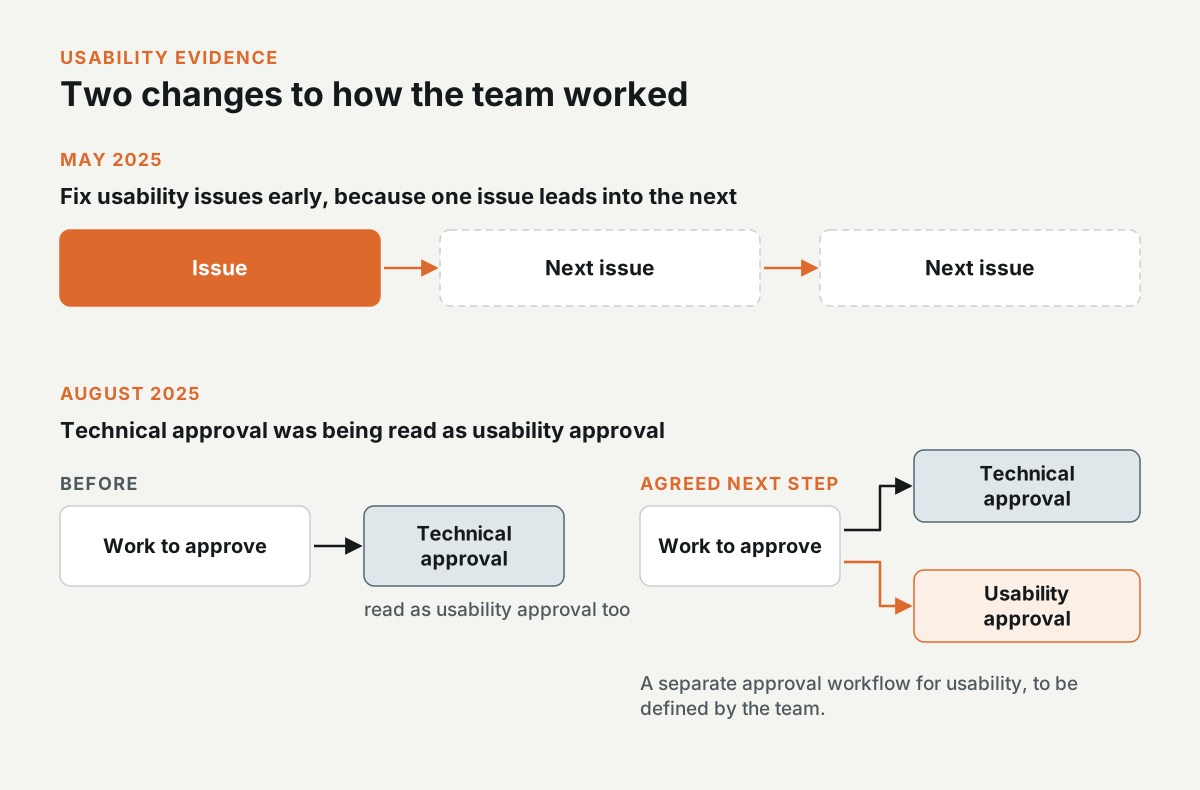
In May 2025, the team agreed that usability issues should be fixed early, because one issue leads into the next.
In August 2025, the team noticed that technical approval from the system team was being read as usability approval. The team agreed to define a separate approval workflow for usability.
Need this level of detail in your product?
Work through the hard product decisions early.
If you’re a product team, that can mean a focused design, system, or prototype project. If you’re hiring, it’s a chance to look closer at how I work across research, interfaces, and code.